
Identifying the WebElement by “ID ” locator value which is a unique parameter in HTML tags.It takes String as an argument. If element doesn’t identified it throws an exception as NoSuchElementException.
Syntax: driver.find_element(By.ID,"locator_value")
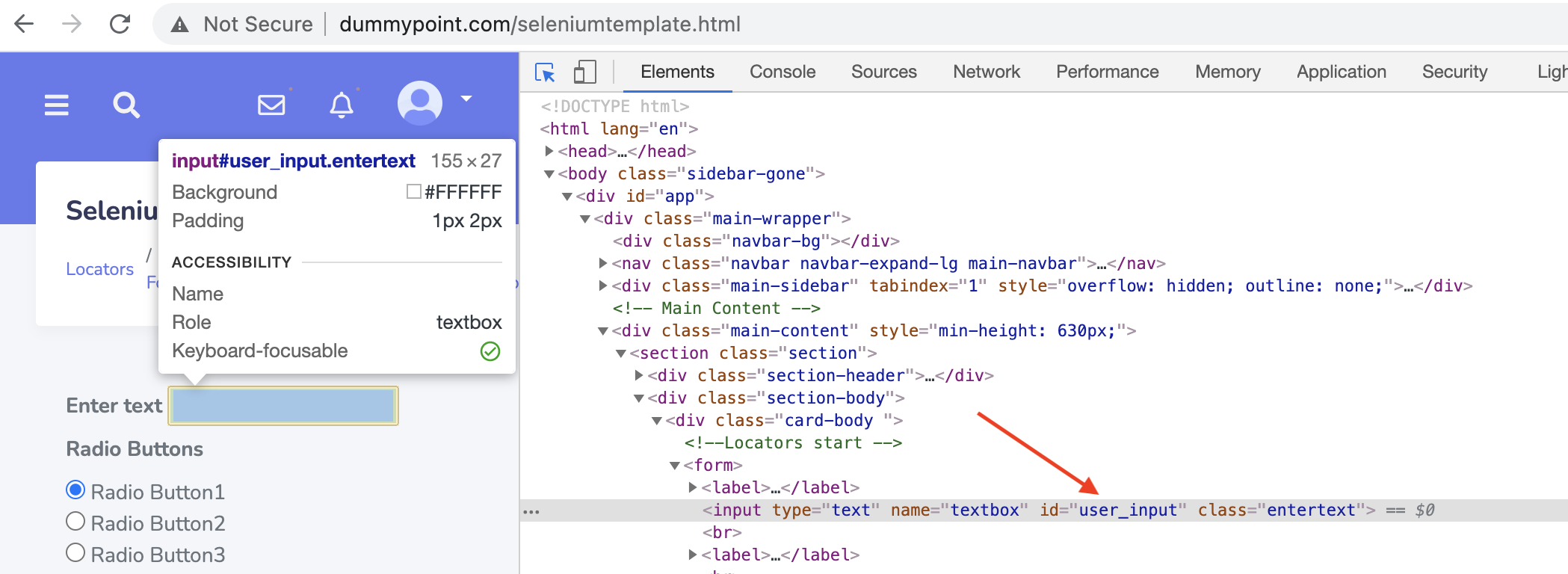
Example: In the below example we will launch the webpage and enter the text in the edit box using ID locator value.
ID_Locator.py
from selenium import webdriver
import time

from selenium.webdriver.common.by import By

driver = webdriver.Chrome("/Users/admin/Documents/Skill2Lead/Others/drivers/chromedriver.exe")

driver.get("http://www.dummypoint.com/seleniumtemplate.html")
time.sleep(2)

ele = driver.find_element(By.ID,"user_input")
ele.send_keys("Skill2Lead")

# OR

driver.find_element(By.ID,"user_input").send_keys("Skill2Lead")

time.sleep(5)
driver.quit()